













Alpino Casino — Secure Login and Account Access
Logging in to Alpino Casino: access your account in seconds
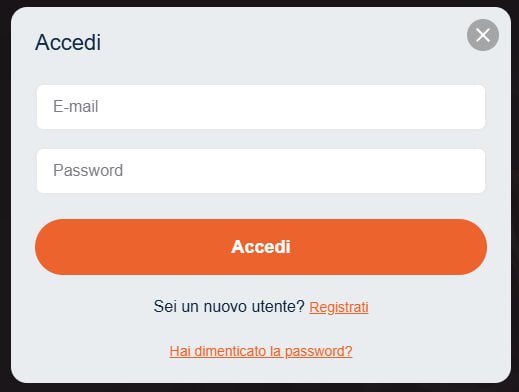
Alpino Casino, active since 2022 and built with players in mind, lets you access your account directly from alpinocasina.com without any unnecessary steps. Once you're in, you have immediate access to the cashier, your saved payment methods — VISA, Neosurf, Sofort, Bitcoin, Ethereum and Tether — and all available games.
After logging in, you can make a deposit, request a withdrawal, check your active limits (up to EUR 500 per day, EUR 2,500 per week, EUR 7,500 per month) and review the status of your KYC verification, which is required before any withdrawal can be processed.
How to access your Alpino account: 4 steps
Step 1: Go to Alpino Casino
Open your browser and navigate to alpinocasina.com. In the top right corner, you'll find the "Log In" button — click it to open the login form. Make sure the URL begins with https:// before entering any information.
Step 2: Enter your credentials
Type in the email address and password you chose when registering at Alpino. The password is case-sensitive — make sure Caps Lock is not enabled before proceeding.
Step 3: Two-factor authentication
If you have two-factor authentication (2FA) enabled, after entering your email and password you'll be prompted for the temporary code generated by your authenticator app. Enter the code within the validity window shown (typically 30 seconds) to complete the login.
Step 4: Access your account dashboard
Once authenticated, you'll land in your personal area. From here you can open the cashier to deposit or withdraw, check your balance, review active promotions on the bonus page and update your KYC documents. The transition from the login screen to your dashboard takes less than 5 seconds on a standard connection.
Keep your account secure
Use a password of at least 12 characters, combining uppercase and lowercase letters, numbers and symbols. Don't reuse the same password across other sites. As a best practice, change your Alpino account password every 3–6 months.
Always log out of your account when using a shared device or a public Wi-Fi network. Sessions that aren't manually closed remain active and can be exploited by third parties.
If you notice any suspicious activity on your account, contact support immediately and change your password. You can also use the self-exclusion tools available in your personal area to temporarily suspend access to your account.
Mobile access to Alpino Casino
There is no native iOS or Android app, but the Alpino mobile site is fully optimised for smartphones and tablets. Open alpinocasina.com in your device's browser — Chrome on Android or Safari on iOS — and the layout will automatically adapt to your screen.
The login process is identical to desktop: email, password and, if enabled, your 2FA code. You can use the "Remember me" feature on personal devices to speed up future logins. For full details on the mobile experience, visit our gaming on the go page.
Can't log in? Follow this guide
Forgotten password
- Click "Forgot password?" on the login screen.
- Enter the email address associated with your Alpino account and confirm.
- You'll receive an email with a reset link within 5–10 minutes. If it doesn't arrive, check your spam or junk folder.
- If the email still hasn't arrived after 15 minutes, make sure you entered the correct address or contact support with your username or account number.
Account locked after failed attempts
After repeated incorrect login attempts, the system will temporarily lock your account as a security measure. Wait for the automatic unlock period shown in the error message, or use the password recovery process to reset your credentials and regain access immediately.
Lost or replaced 2FA device
If you've lost the device on which your authenticator app was set up, you won't be able to generate a 2FA code. In this case, contact support directly and provide your identity verification details (government-issued ID and tax code). Restoring access requires manual verification by our team.
Suspended or closed account
The most common reasons for suspension are: incomplete KYC verification or expired documents, violation of the terms of service, or extended inactivity. To submit a complaint or request account reinstatement, contact support with your registered email address and the reason for your request. Response times vary depending on the complexity of the case.
Available login methods at Alpino Casino
| Login method | Availability | Security level |
|---|---|---|
| Email + Password | Available on all devices | Basic — recommended to pair with 2FA |
| Email + Password + 2FA | Available on all devices | High — second factor via authenticator app |
| Mobile browser (optimised site) | iOS and Android via browser | Same as desktop — no reduction in security |
| Native iOS app | Not available | — |
| Native Android app | Not available | — |
Log in to Alpino Casino now
Accessing your account takes less than a minute: go to alpinocasina.com/log-in, enter your credentials and you're ready to play. From the cashier, you can instantly choose from the available payment methods — from VISA to Bitcoin — and manage deposits and withdrawals within your account limits.
Don't have an account yet? Complete your Alpino registration in just a few minutes and unlock the welcome package with bonuses on your first deposits. Alpino Casino is your starting point for a gaming experience built entirely with players in mind.